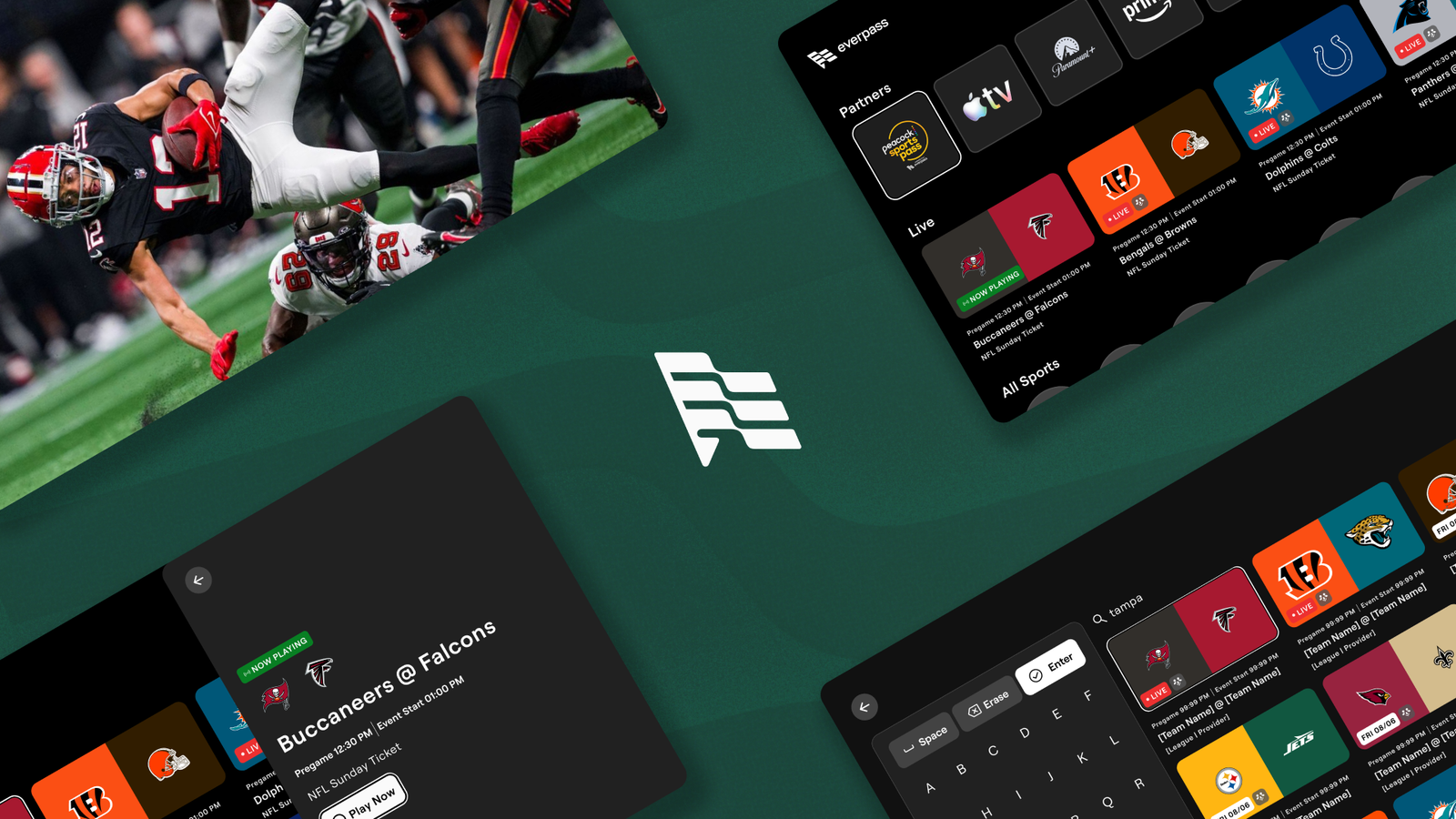
EverPass EPG grid of live NFL Sunday Ticket games with a Buccaneers at Falcons detail panel and Play Now button

Case Study 06

Partner

EverPass

Category

Sports Streaming • Venue Tech

Devices

  • Fire TV
  • Google TV
  • LG TV

Scope

  • Native + web-view engineering
  • Video playback (Mux, HLS/DRM)
  • Cross-platform QA
  • Help-center & device documentation

The starting point · What EverPass runs

EverPass licenses the live sports feeds businesses can't get any other way.

EverPass licenses commercial rights to live sports — NFL Sunday Ticket, Peacock Sports Pass's Premier League coverage, the NHL and more— and distributes them into bars, restaurants and venues, so an operator can show the game to all their customers.

That distribution ran through hardware EverPass supplied to every venue. It worked, but it meant a venue needed a piece of EverPass's own equipment installed before it could show a single game.

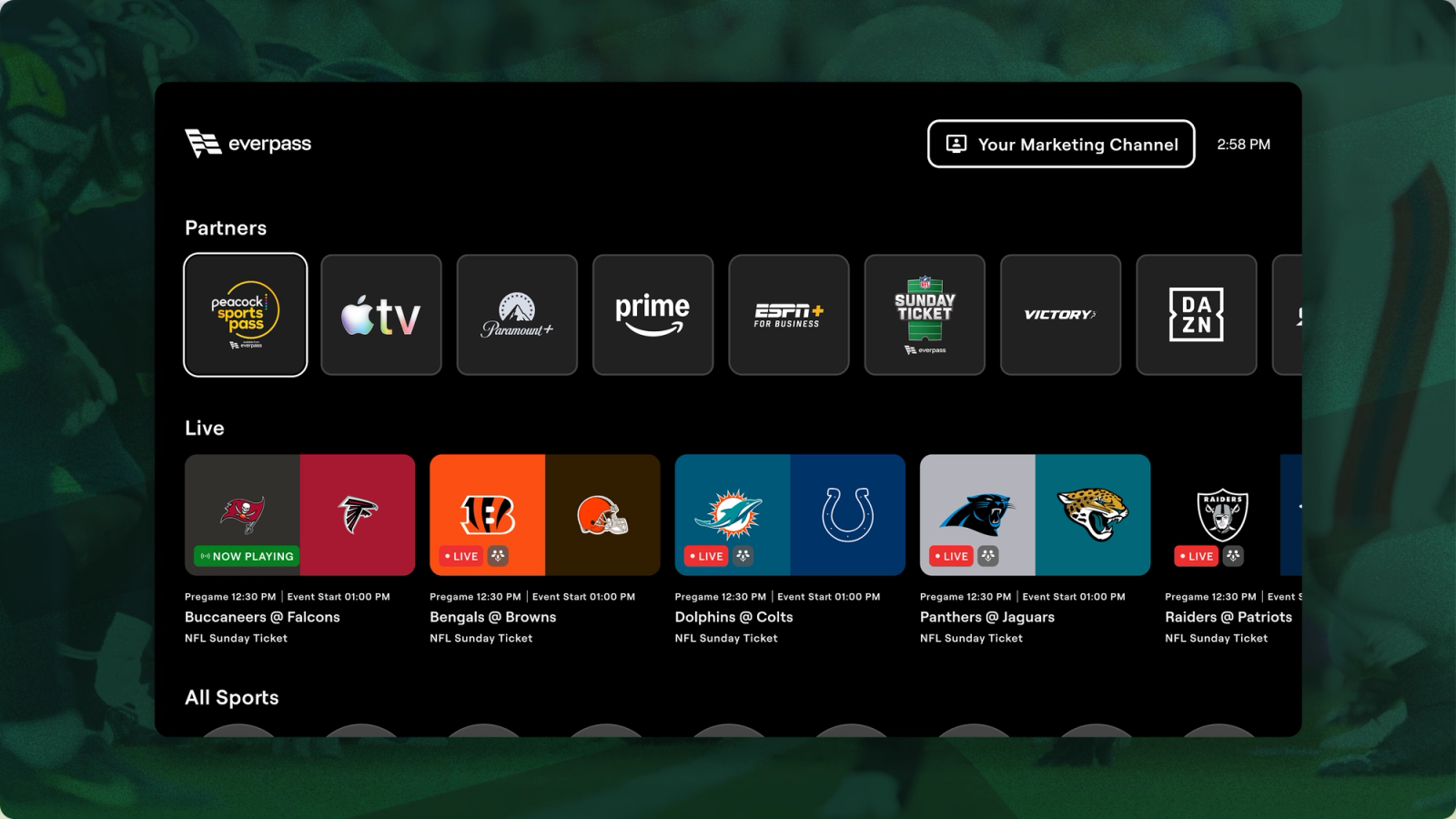
EverPass CTV app onscreen guide showing the different partners and live sports options to select.

The hardware barrier.

The custom hardware was the ceiling on how many venues EverPass could reach.

Every venue EverPass wanted to serve needed custom hardware first — a sale, a shipment, an install — before a single game played. That became a ceiling on how fast EverPass could reach new customers and limited their accessibility.

EverPass asked us to move the experience onto the streaming devices those venues already had plugged into their TVs — Fire TV, LG TV, Google TV. Making set up for game day, faster and more cost effective for businesses than ever.

What we built

One app, three platforms, two different builds.

01 · Fire TV

A web view for the guide, a native player for the video.

Fire TV pairs a web view with a native video player, allowing Amazon's platform requirements to be met while maintaining the EverPass experience. Guide and activation updates ship from EverPass's side with no app-store release, making improvements fast and simple; the player stays native to meet Amazon's own streaming requirements.

02 · Google TV

The same split, on Google's platform.

Google TV mirrors Fire TV's approach — a web view for the EPG and EverPass Engage, a native player underneath — for the same reason: Google's own video-playback requirements hold the player to native code.

03 · LG TV

A full web-view experience, matching LG's platform.

LG TV runs end to end as a web view, meeting LG's own platform requirements and keeping tighter sync with EverPass's own platform than a native build would allow.

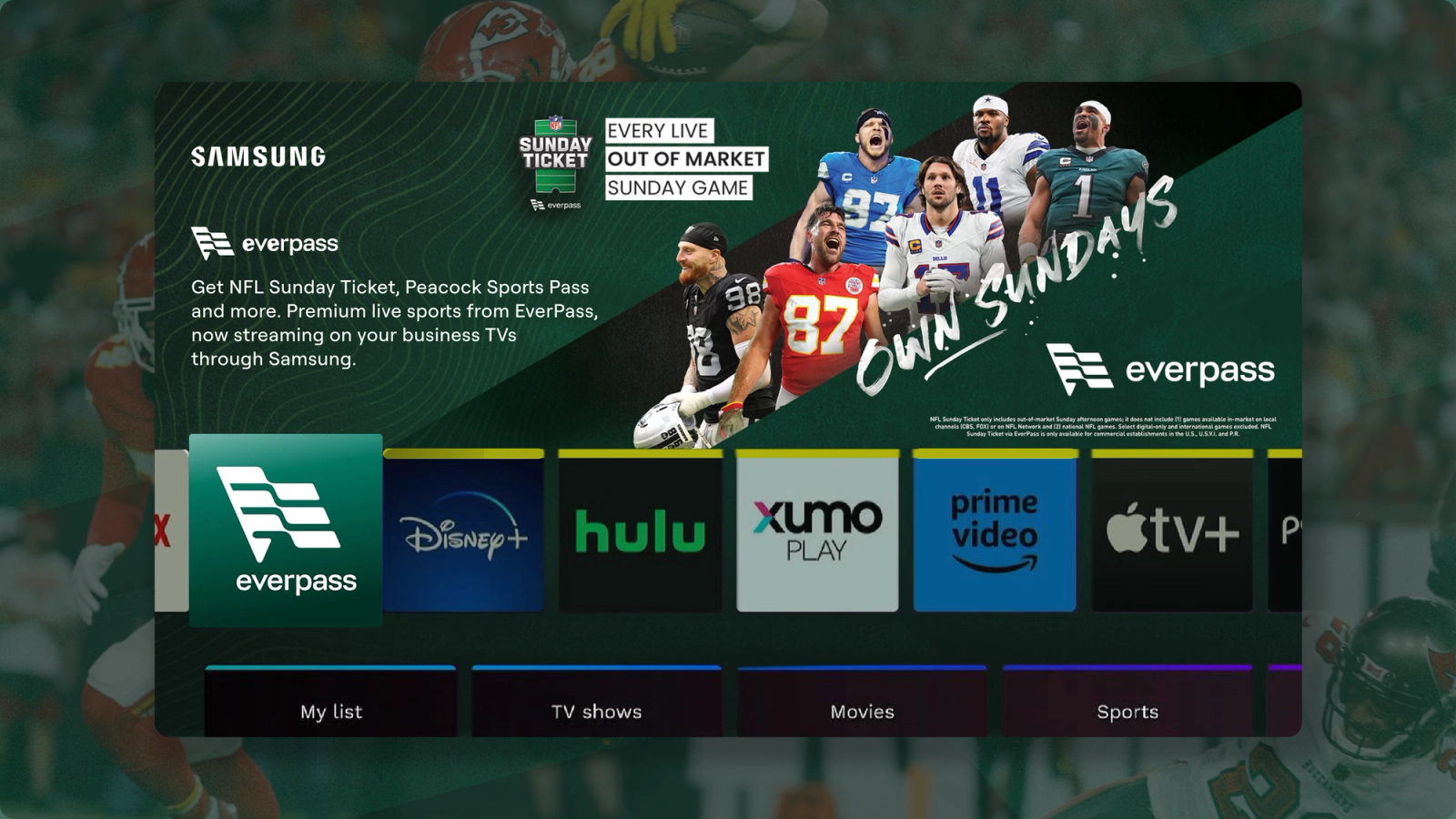
Samsung app store with the everpass app featured and the description of the app being displayed on screen

Four places the engineering and experience were held to a high standard.

01 · Reliability

Getting native and web view to agree, every time.

The web view and the native player had to behave as one app, not two: Mux analytics on playback, backend support commands reachable from the EPG and the player, and feedback from the CTV remotes.
02 · Playback quality

1080p, no drift, no added latency.

HLS with DRM at 1080p, audio and video staying in sync, and real-time bandwidth adaptation that holds the picture together on a venue's connection without adding latency on top of it.

03 · Cross-platform consistency

The same quality experience, no matter the device it's running on.

Error screens, refresh timing, and manager settings had to function properly across all platforms and devices, so a venue running both never sees two different products.

04 · QA and documentation

Tested and written up on all three platforms.

QA covered Fire TV, Google TV and LG TV alike to ensure a high quality experience. Subsequently backed up by help-center articles and device-compatibility documentation so a venue's staff, and EverPass's own support team, know what to expect on each.


01/04

Since launch

The response was about the experience, not a workaround.

Venues started downloading the Fire TV, Google TV and LG TV apps once they shipped, watching games on the streaming devices already plugged into their sets.

The feedback that came back was about the app itself — the streaming quality and the in-app experience people were actually using — which was the bar the native-to-web-view work and the three platform-specific builds were built to clear.

EverPass — FAQ

What is EverPass?

EverPass is a commercial sports-streaming platform. It licenses live sports feeds — NFL Sunday Ticket, Peacock Sports Pass's Premier League coverage, ESPN+ for Business college football, the NHL and more — and distributes them into bars, restaurants and venues, so an operator can show the game to all their customers with ease.

Which devices does EverPass run on?

It runs on CTV devices, Fire TV, Google TV and LG TV, the streaming devices already plugged into most venues' televisions. As well as EverPass's own custom hardware. EverPass is built for fixed-screen devices only; it does not run on phones or tablets.

Why did EverPass move beyond its own hardware?

EverPass originally distributed its feeds through hardware it supplied to each venue, which meant every new venue needed a box installed before it could show a game. Moving onto streaming devices venues already own removed that step and expanded how many venues EverPass can reach.

What did Slytrunk build for EverPass?

Fire TV and Google TV builds that pair a web view — carrying the EPG and EverPass Engage — with a native video player, since Amazon's and Google's video-playback platforms require native playback. LG TV runs as a full web-view experience, matching LG's own platform requirements. Across all three, engineering went into native-to-web-view reliability, 1080p playback quality with no added latency, cross-platform consistency, and QA and documentation for every platform.


Contact

Got a venue that deserves a high quality streaming experience without all the complications of traditional streaming?


Next

More of where it gets built.